


Most camps don't have a maintenance problem. They have a memory problem.
Which cabin roof leaks, which pump is running on borrowed time, which vendor actually picks up the phone in July — all of that lives in one or two people's heads. When those people retire, quit, or just get overwhelmed during peak season, the whole system blurs. That's when a $400 gasket turns into a $12k emergency, and a scheduled inspection that never got done turns into a very uncomfortable conversation with your insurance carrier.
This is a blueprint for turning scattered, personality-dependent maintenance into an actual program — one where the physical assets, the rules for replacing them, the seasonal work, the vendor relationships, and the paper trail all connect. Not a tips list. A system.
Why camp facilities maintenance breaks down (and it's rarely about laziness)
Camp facilities are unusual. You're running a mid-sized physical plant — kitchens, waterfront equipment, HVAC, vehicles, dozens of structures — but you're running it hard for 10–14 weeks and then letting most of it sit for eight months. That seasonal rhythm creates a specific kind of failure.
During the season, nobody has bandwidth for preventive work. You're reacting. A toilet backs up, someone fixes it. A window screen tears, someone tapes it. The whole operation runs on triage, and triage feels productive because things keep working.
Then the off-season hits and everyone scatters. The maintenance director is part-time or gone. The "we'll deal with that in the fall" list evaporates because there's no owner and no deadline. By the time spring prep rolls around, half the list is forgotten and you're back to discovering problems the week before campers arrive.
What we see across a lot of camps is that the failure isn't the leak or the broken pump. It's that no single record connects what you own, how long it should last, when it was last checked, and who's supposed to fix it. Those four things live in four different places — or nowhere — and the gaps between them are where money and safety drain out.
At small scale, one competent person can hold it together. Add a second location, a retreat season, or a leadership transition, and it falls apart fast. That's the scaling problem nobody warns you about.
Start with an asset registry, not a to-do list
Everyone wants to jump straight to the inspection checklist. Don't. If you don't know what you own and what condition it's in, your checklist is just guessing.
Simplify camp operations with centralized control.
Campyly empowers you to manage registrations, staff, and activities seamlessly—all from one platform.
- Integrated camper and staff management
- Automated notifications and alerts
- Dynamic scheduling and resource allocation
No credit card required
An asset registry is a living inventory of every meaningful physical thing that can fail, cost money, or hurt someone. Not every fork — but every appliance, structure, vehicle, and piece of program equipment.
-
Asset ID and name (e.g., DH-WALKIN-01, "Dining hall walk-in cooler")
-
Location / zone
-
Install or purchase date
-
Expected useful life (in years or season-hours)
-
Replacement cost estimate (today's dollars, updated yearly)
-
Current condition rating (1–5, defined below)
-
Last inspection date and by whom
-
Warranty/service contract status
-
Criticality (does a failure shut down operations or create a safety risk?)
Use a short, consistent Asset ID format (location-type-number) so filtering and reports stay reliable.
The condition rating is where people get sloppy. Define it so two different staff members would score the same asset the same way:
| Rating | Meaning | Action posture |
|---|---|---|
| 5 | Like new, no issues | Routine inspection only |
| 4 | Good, minor wear | Monitor, plan nothing |
| 3 | Functional but aging | Budget for replacement in 2–3 yrs |
| 2 | Frequent issues, past mid-life | Get replacement quote now |
| 1 | Failing or unsafe | Replace/repair before next season |
Once this exists, everything else hangs off it. The inspection calendar is generated from it. The capital plan is generated from it. Vendor assignments map to it. If you build only one thing this off-season, build this.
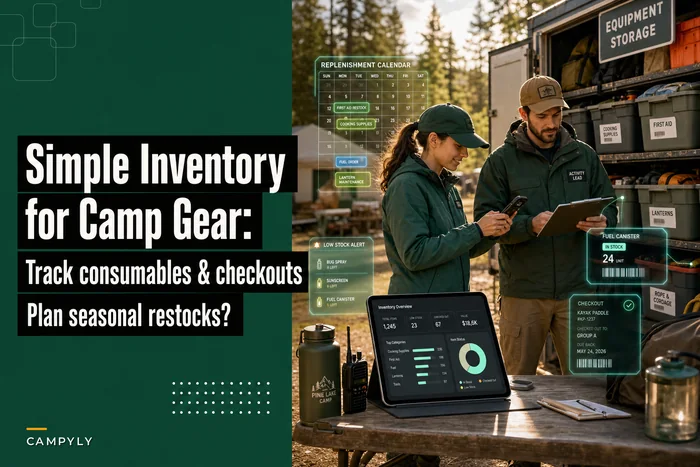
Consumables and gear are a different animal — they turn over fast and forecast differently — so keep those in a separate system. The logic for that is closer to what's covered in this simple inventory system for camp gear and consumables. The asset registry is for the durable, expensive, slow-turning stuff.
Turning lifespan into actual replacement rules
The mistake that quietly drains budgets: treating "expected useful life" as a countdown timer. A walk-in cooler doesn't die at exactly year 15. It gives you signals — rising repair frequency, longer recovery times, compressor short-cycling — long before it fails on the hottest week of July.
A replacement rule combines age, condition, and cost of keeping it alive. The useful trigger isn't "it's old." It's something like:
> Replace when trailing 12-month repair cost exceeds roughly 50% of replacement cost, OR condition drops to 2 with a criticality flag, OR it hits end-of-life age AND is rated 3 or below.
Those thresholds are yours to tune, but the point is that a rule removes the emotion — and the "let's squeeze one more year" instinct — from the decision. That instinct is exactly what causes mid-season failures, because the thing you deferred dies under peak load.
A realistic threshold table for common camp assets:
| Asset type | Typical useful life | Replace when... |
|---|---|---|
| Commercial water heater | 8–12 yrs | Rated ≤2, or 2+ major repairs in one year |
| Waterfront dock hardware | 5–8 yrs | Any structural corrosion at load points |
| Camp vehicles (passenger vans) | 8–10 yrs / 120k mi | Repair cost >40% of replacement, or safety inspection fail |
| Mattresses | 7–10 yrs | Sagging, staining, or failed sanitation check |
| Roofing (asphalt shingle) | 15–20 yrs | Active leaks in 2+ spots, or granule loss over 30% |
| HVAC rooftop unit | 12–15 yrs | Refrigerant leak + age 12+, or condition ≤2 |
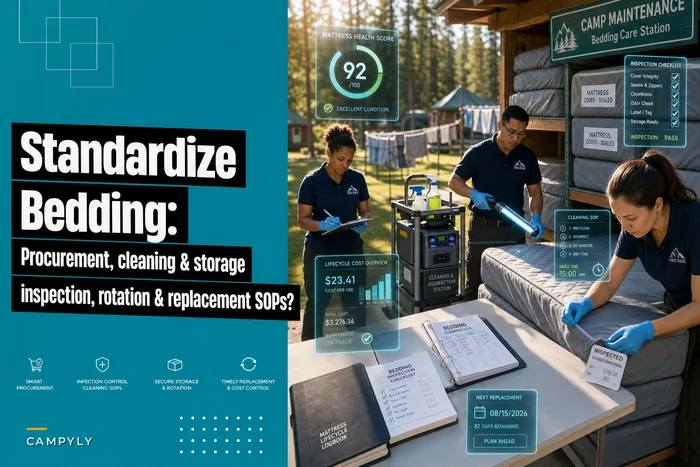
Mattresses are a good example of why age alone lies — sanitation and structural failure usually force the call before the calendar does. There's a full breakdown of that decision path in the camp bedding and mattress playbook, and the same age-plus-condition logic applies to most things on your registry.
The piece most directors miss: replacement rules only work if the condition data feeding them is current. A rule referencing a condition rating from three years ago is just a guess wearing a spreadsheet.
Which brings us to inspections.
Seasonal prep SOPs: the four windows
Camp maintenance runs on four natural windows, and each one needs its own standard operating procedure. Winging it means rediscovering the same forgotten tasks every year.
1. Fall shutdown (post-season). Your most valuable inspection window, because everything just got stress-tested by a full season. Walk every structure and asset while the failures are still fresh. Winterize plumbing, drain and store waterfront gear, document condition ratings for the registry, and — critically — capture the "fix this before next year" list while people still remember why.
2. Deep winter (planning). Nothing physical happens, but this is when the capital plan gets built off the fall condition data, quotes get gathered, and big vendor work gets scheduled before contractors book up for spring.
3. Spring prep (pre-season). De-winterize, test everything under load, run safety inspections, complete the fixes identified in fall. The rule here: no asset goes into service on a stale condition rating. Re-inspect, re-rate, then open.
4. In-season (rolling). Lightweight weekly checks on high-criticality and high-use assets — kitchen, waterfront, vehicles, water systems. The goal isn't deep inspection; it's catching drift early so triage stays rare.
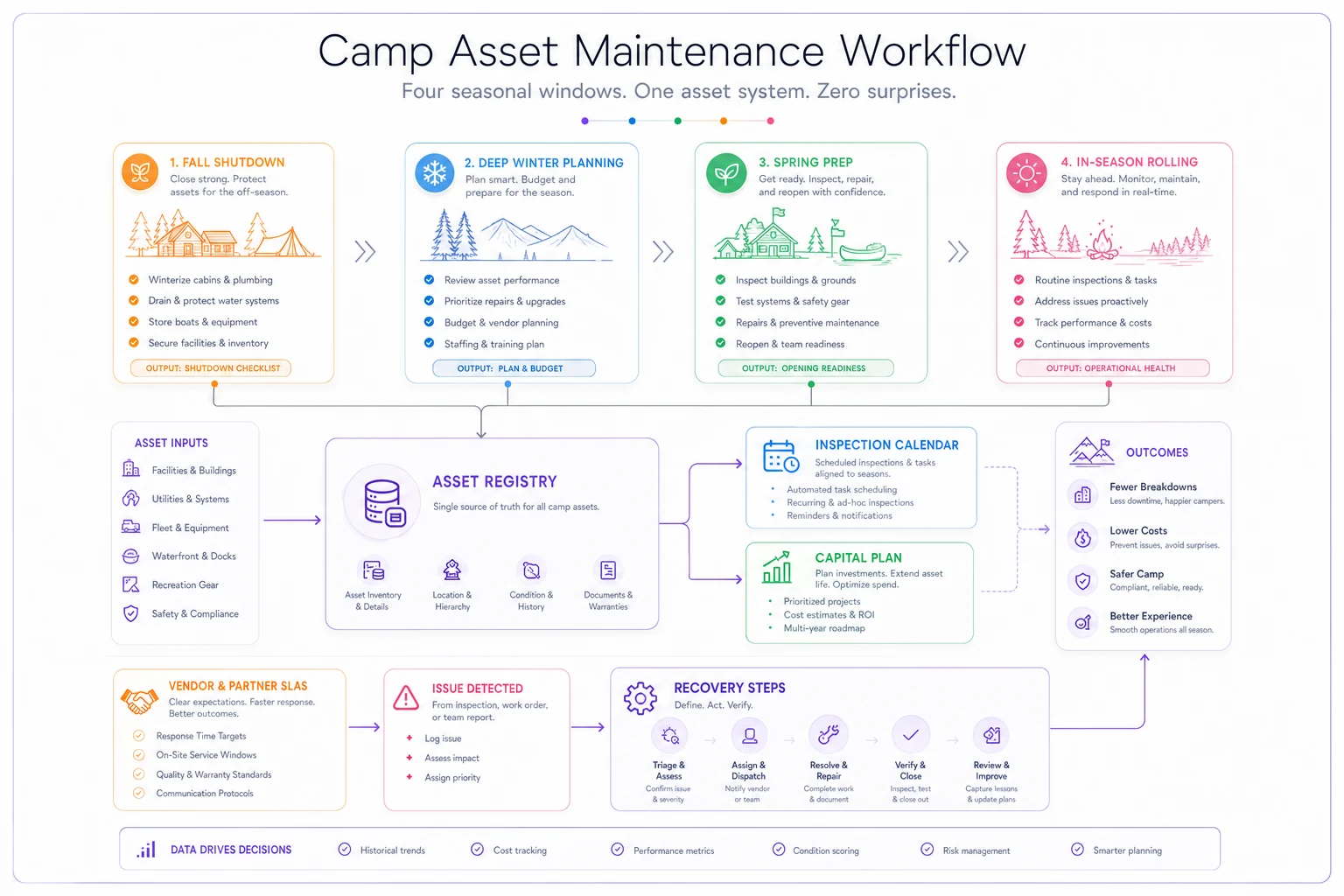
Here's a visual that ties those windows together with the registry, inspection calendar, and capital plan.
A sample fall shutdown SOP structure, at the level of detail that actually holds up:
-
Kitchen zone — Test and log temps on all refrigeration; clean condenser coils; inspect gaskets; run dishwasher sanitizer cycle and record; shut down and clean grease traps; update registry condition ratings for all appliances.
-
Waterfront zone — Remove, inspect, and store docks; inspect all lifejacket/PFD stock for wear; drain and store pumps; photograph dock hardware at load points; flag corrosion.
-
Housing zone — Inspect roofs and flashing; check every mattress against sanitation/structural criteria; test smoke/CO detectors and log battery changes; winterize plumbing.
-
Vehicles — Full safety inspection; record mileage against replacement thresholds; schedule any repairs for the winter window.
-
Water/utility systems — Test well/pump systems; inspect water heaters; document any repair from the season into the asset's repair-cost tally.
The pattern that separates working camps from struggling ones: the fall SOP feeds the registry, the registry feeds the winter capital plan, and the capital plan drives the spring fixes. Skip the fall documentation and the whole chain breaks.
Vendor SLAs so you're not begging in July
Most camps have vendor relationships built on a phone number and a hope. That works until the pump fails during the hottest week of the season and your "guy" is three weeks out on other jobs.
A vendor SLA doesn't need to be a legal document. It needs to define, in writing, what "showing up" actually means. A workable version covers:
-
Scope — exactly what this vendor is responsible for (list specific asset IDs)
-
Response time by severity — e.g., emergency (safety/operations down): on-site within 4–8 hours during season; urgent: within 48 hours; routine: within 5 business days
-
Seasonal priority clause — you are a priority customer June through August; spell it out
-
Rate structure — normal, after-hours, emergency; parts markup cap
-
Preventive schedule — the vendor performs X inspections on Y dates, tied directly to your seasonal windows
-
Documentation requirement — vendor submits a work report you file against the asset
That last one matters more than it looks. If your HVAC contractor services a unit and you never log it, that service didn't happen as far as your records — and your insurer — are concerned.
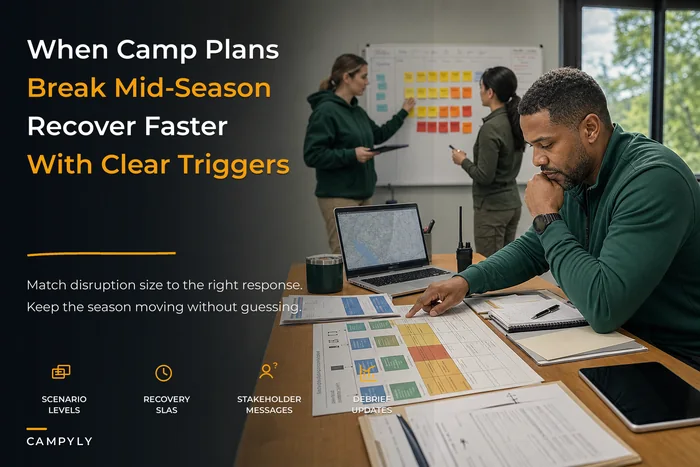
The coordination point worth making: your vendor SLAs and your continuity plan are really the same conversation. When something critical fails mid-season, response time is your recovery time. It's worth building your vendor tiers to mirror the recovery priorities in your broader camp continuity framework, so the vendor who fixes your only walk-in cooler has the tightest SLA of anyone you work with.
When formal SLAs make sense — and when they don't
Formal written SLAs are worth the effort for anything high-criticality: refrigeration, water systems, HVAC in dining and health spaces, vehicles, waterfront safety equipment. For low-criticality, easily-substituted vendors — general handyman work, landscaping — a formal SLA is overkill. A good relationship and a couple of backup numbers beats paperwork. Don't SLA everything. SLA what shuts you down.
The auditable inspection log (this is what saves you)
If your program ever gets questioned — by an insurer after a claim, by a licensing body, by a parent's attorney — the inspection log is your defense. "I'm pretty sure we checked that" is not a defense.
An auditable log means every inspection produces a record that answers: what was inspected, when, by whom, what condition was found, what action was taken, and when the next inspection is due. No gaps. No blanks that can't be explained.
Three things make a log actually auditable:
-
Immutable timestamps — you can see when the entry was made, not just the date typed in
-
Attribution — a real person's name on every entry
-
No orphan findings — every "condition 2" or "safety issue" links to a follow-up action with a resolution date
Paper logs and loose spreadsheets fall apart here. A binder full of checkmarks proves someone made checkmarks. It doesn't prove the fridge was at temp, and it can be filled out from memory in the parking lot.
This is one area where an AI-powered operational platform genuinely earns its keep — not because the software is magic, but because a system that timestamps entries at the point of inspection, forces attribution, and won't let a critical finding close without a resolution removes the shortcuts that create liability. When staff log inspections from their phone while standing in front of the asset, the record becomes trustworthy instead of decorative.
The same logic applies to task generation. When your registry knows an asset's inspection is overdue, a workflow can create the task, assign it, and flag it if nothing happens — instead of relying on someone remembering. That's the difference between a program that runs and one that depends on one person's memory holding.
A sample inspection calendar
Here's how the windows translate into an actual annual cadence. Frequencies scale with criticality — the walk-in cooler gets weekly attention in season; the storage shed gets an annual look.
| Timing | Assets / zones | Type |
|---|---|---|
| Weekly (in-season) | Refrigeration temps, waterfront safety gear, vehicle pre-trip, water quality | Quick check + log |
| Monthly (in-season) | HVAC filters, kitchen equipment, detector spot-checks | Standard inspection |
| Fall shutdown | Every asset — full condition re-rating | Deep inspection |
| Winter | (Planning — no field inspection) | Capital planning |
| Spring pre-season | Every in-service asset — load test + safety | Deep inspection |
| Annual (vendor) | HVAC, fire suppression, water systems, elevators/lifts | Certified vendor inspection |
The mistake to avoid: inspecting everything at the same frequency. You'll either over-inspect low-risk items and burn staff time, or under-inspect the fridge that can spoil a week of food. Frequency should track criticality and usage, full stop.
Capital planning: connecting all of it to money
This is where the whole program pays for itself. When your registry has condition ratings and replacement costs, capital planning stops being a panic and becomes arithmetic.
A capital planning worksheet is just your registry, filtered and forward-projected. For every asset rated 3 or below, list: replacement cost, projected replacement year based on condition and useful life, and criticality. Sort by year and by risk.
A realistic scenario. A mid-sized overnight camp — around 220 campers per session, three main zones — built its first real registry over a fall shutdown. It flagged roughly 40 durable assets. Of those, about a dozen were rated 2 or below: two aging water heaters, a walk-in cooler well past its useful life, three vans over threshold, and dock hardware showing corrosion at load points.
Before the registry, their pattern was purely reactive — somewhere in the range of $18k–$25k a year in surprise emergency repairs and expedited replacements, plus the soft cost of mid-season scrambling. An emergency walk-in replacement the prior July had run close to $14k all-in, including rush fees and spoiled inventory.
With the worksheet, they staged it: the cooler and worst van in year one, water heaters in year two, docks and the remaining van spread across years two and three. Roughly $60k of replacements stretched across three planned, off-season, negotiated purchases — instead of panicked mid-July calls. The total spend wasn't wildly different. But it moved from unpredictable, expensive crises to budgeted line items. That shift is the whole point.
Capital planning at camp isn't really about spending less. It's about when you spend and how much of it is on your terms versus the emergency's terms.
Who should build this — and who's not ready
This makes sense when: you have more than one person's worth of assets to track, you've been burned by at least one mid-season failure, you're running multiple sites or seasons, or leadership is transitioning and the institutional knowledge needs to live somewhere other than one person's head.
This is premature when: you're a small enough operation that one owner genuinely knows every asset and its history, and formalizing it would cost more time than it saves. Even then — build the asset registry. Hold off on the elaborate SLAs and multi-window SOPs until the operation grows into them.
Who struggles with this: camps that build the registry once, celebrate, and never update the condition ratings. A registry that isn't refreshed every fall is worse than no registry, because it gives false confidence. The program is only as good as your discipline in the fall shutdown window.
Bringing it together
Facilities programs don't fail because of leaks or aging pumps — those are inevitable. They fail because the four things that should be connected stay separate: what you own, how long it lasts, whether it was checked, and who fixes it. Fix the connections and the leaks become manageable line items instead of July disasters.
Build the registry first. Let it generate your calendar, drive your replacement rules, and populate your capital plan. Hold vendors to written response times on the assets that can shut you down. Keep a log that could survive a hard question. Do that, and your maintenance stops depending on one person's memory and starts running the way the rest of your operation should — quietly, predictably, and on your schedule instead of the emergency's.
Facilities programs don't fail because of leaks or aging pumps — those are inevitable. They fail because the four things that should be connected stay separate: what you own, how long it lasts, whether it was checked, and who fixes it. Fix the connections and the leaks become manageable line items instead of July disasters.
Build the registry first. Let it generate your calendar, drive your replacement rules, and populate your capital plan. Hold vendors to written response times on the assets that can shut you down. Keep a log that could survive a hard question. Do that, and your maintenance stops depending on one person's memory and starts running the way the rest of your operation should — quietly, predictably, and on your schedule instead of the emergency's.
Ready to elevate your camp management?
Join 500+ camps using Campyly to save administrative time, enhance camper experiences, and streamline daily operations.