

Most camp directors don't think of themselves as IT people. Fair enough — you're managing medical forms, bunk assignments, swim checks, and a kitchen feeding 400 people three times a day. But your registration platform holds thousands of minors' names, home addresses, allergy records, custody notes, and parent payment data. That's one of the more attractive targets a low-effort attacker could find, and camps are soft because security usually lives nowhere on the org chart.
This isn't a technical guide. You won't need to understand encryption or firewalls. What you do need is a short list of decisions — ranked by how badly they'll hurt if you skip them — plus enough vocabulary to recognize when a vendor is blowing smoke during a "we had an incident" phone call.
Start here: the three things that actually cause camp data disasters
Camp data incidents almost never come from a movie-style hacker. In real operations, they come from three boring places:
-
A shared admin login that five people use and nobody changes when a seasonal coordinator leaves.
-
A backup that was never tested, so when something breaks, the "backup" turns out to be three months old or corrupted.
-
A vendor outage during peak week where nobody at camp knows who to call or what the recovery timeline actually is.
Everything below is built to address those three failure modes. If you do nothing else, fix the shared login. That single issue sits behind more preventable camp account takeovers than anything else.
Risk-prioritized checklist (do these in order)
The whole point of ranking this is so you don't burn your limited off-season hours on low-impact tasks. Work top to bottom. Stop when you run out of time — you'll still be in decent shape.
Simplify camp operations with centralized control.
Campyly empowers you to manage registrations, staff, and activities seamlessly—all from one platform.
- Integrated camper and staff management
- Automated notifications and alerts
- Dynamic scheduling and resource allocation
No credit card required
Tier 1 — Do before next season no matter what
-
[ ] Turn on multi-factor authentication (MFA) for every account that touches camper data: registration system, email, cloud storage, payment processor, and your domain registrar.
-
[ ] Kill all shared logins. Every person gets their own account. No exceptions for "the front desk."
-
[ ] Reduce admin accounts to the smallest number possible — ideally two people, never one.
-
[ ] Write a one-page list of every system, the vendor name, and the emergency contact for each.
-
[ ] Confirm your registration/SaaS vendor runs automated backups, and ask in writing how often and how long they keep them.
Tier 2 — Do within the first month of the off-season
-
[ ] Set a backup cadence and retention rule for anything you control directly (local files, spreadsheets, health records exports).
-
[ ] Run one real backup-restore test. Actually recover a file. Don't assume.
-
[ ] Create an emergency override procedure for when the primary admin is unreachable.
-
[ ] Build a simple responsibilities matrix (who decides, who calls the vendor, who talks to parents).
Tier 3 — Nice to have, do when you have breathing room
-
[ ] Quarterly access review to remove accounts belonging to people who left.
-
[ ] Phishing awareness refresher for year-round staff.
-
[ ] Document target recovery times per vendor and keep them on file.
That's the skeleton. Now the parts people consistently get wrong.
MFA and admin-account rules (the cheapest high-impact fix you have)
MFA is free on nearly every platform camps use, takes about ten minutes per account to set up, and blocks the overwhelming majority of account takeover attempts. There's no good reason to skip it. And yet the most common thing I run into is a camp with MFA switched off on the exact account that matters most: the email address used to reset every other password.
Think about that chain. If someone gets into the director's email, they can hit "forgot password" on your registration system, your bank, your payment processor — everything funnels back to that inbox. So the rule is simple: the email account gets MFA first, before anything else.
-
Minimum two admins, maximum you-can-count-on-one-hand. One admin means you're locked out when they're on a canoe trip with no signal. Ten admins means nobody actually owns security.
-
Personal accounts, not role accounts. "director@" shared by three people is a problem waiting to happen. When something goes wrong you can't tell who did what, and you can't revoke one person's access without breaking everyone's.
-
Offboarding happens the day someone leaves, not "sometime in the fall." A dormant account with admin rights sitting unused for months is a free side door — and nobody's watching it because nobody remembers it exists.
Enable MFA on the email account used to reset other passwords first, then move on to the registration and payment accounts.
The risk usually isn't that someone clever gets your password. It's that a forgotten account with admin rights sits idle until it's compromised, and nobody notices.
Backup cadence and retention: what "we have backups" needs to actually mean
"We have backups" feels reassuring and means almost nothing until you test it. The real questions are: how often, how long are they kept, and can you actually restore from them?
For data you control directly, here's a sane baseline:
| Data type | Backup cadence | Retention | Why |
|---|---|---|---|
| Camper health/medical records | Daily during season | Per your state's record-retention rule (often several years) | You can't recreate medical data and you're legally required to keep it |
| Registration & enrollment exports | Weekly off-season, daily in-season | 12 months rolling | Needed for disputes, refunds, re-enrollment |
| Financial/payment records | Daily | 7 years typical | Tax and audit requirements |
| Staff files & background checks | Weekly | Per policy, often 3+ years | Compliance and liability |
| Photos/marketing media | Monthly | As long as you want it | Lower risk, lower urgency |
Two things most camps get wrong on retention:
They keep too little. If your backups only go back seven days and a problem — a bad data import, a deleted record, ransomware — isn't noticed for two weeks, your "backup" already contains the damage. For anything important, keep enough history that a mistake you discover late is still recoverable. At minimum, keep at least one backup from before the start of your current enrollment cycle.
They never test a restore. A backup you've never restored is a hope, not a plan. Put one calendar reminder in the off-season: pick a random file, restore it from backup, confirm it opens and is complete. The first time camps do this, they frequently discover the backup was only covering one folder, or hadn't run in two months because a credit card on the backup service expired. Better to find that out in March than during week three.
Your retention schedule should also line up with your broader data policies — this connects directly to practical camp data governance, retention and consent rules, and the two should never contradict each other. If your governance policy says "delete X after 18 months" but your backups keep it for three years, that's a gap worth closing.
Emergency override procedures (for when the one person who knows the password is unreachable)
Picture a realistic bad day: it's a Tuesday in July, your registration system is throwing errors, parents are calling because they can't access forms, and the only person with the master admin login is leading an overnight hike with no cell service. Now what?
If the answer is "we wait until they're back," you have a gap. Emergency override isn't exotic — it's just deciding ahead of time how a second trusted person gets in when the primary is gone.
-
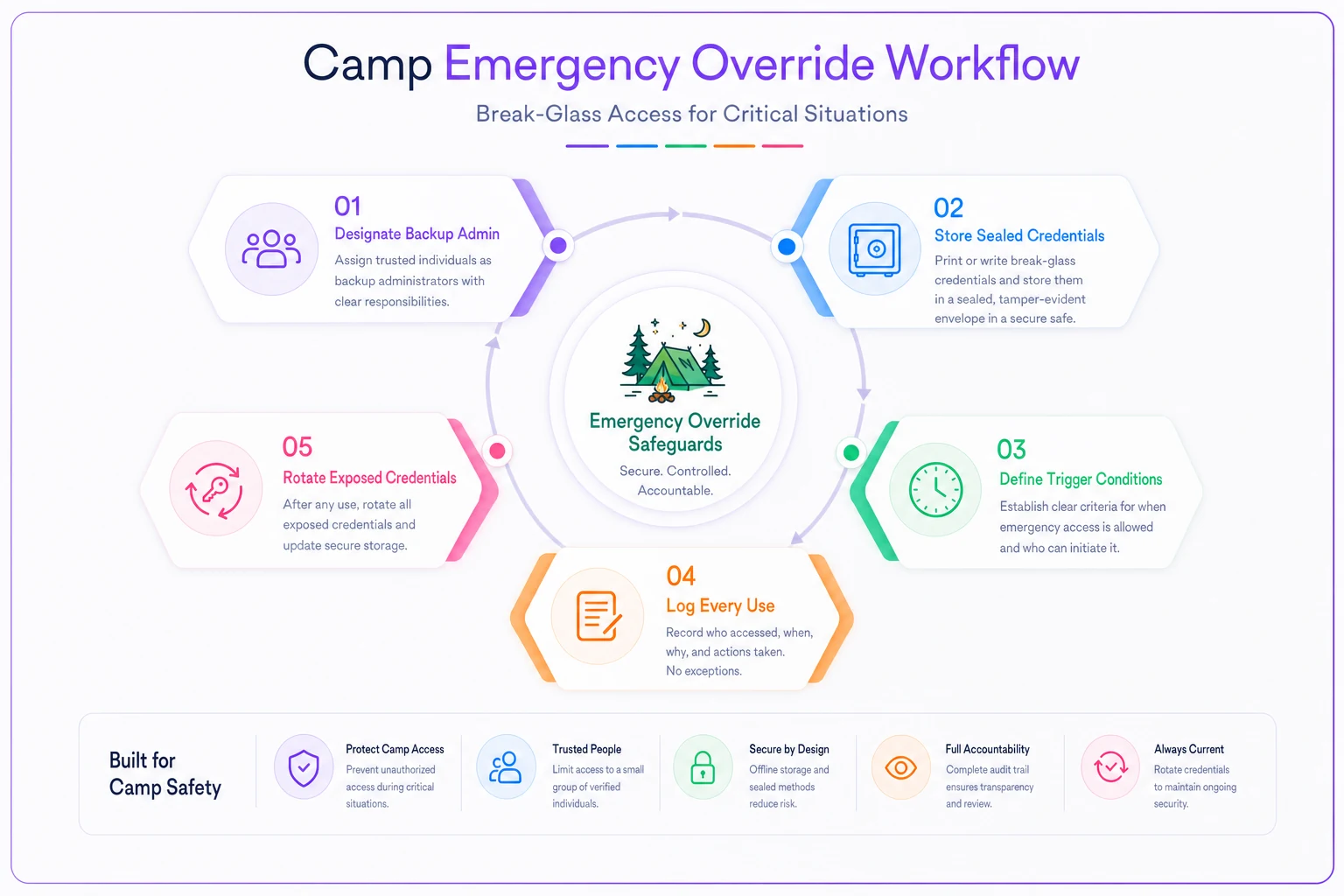
Designate a backup admin (that second admin account from earlier). This person can act when the primary is unreachable.
-
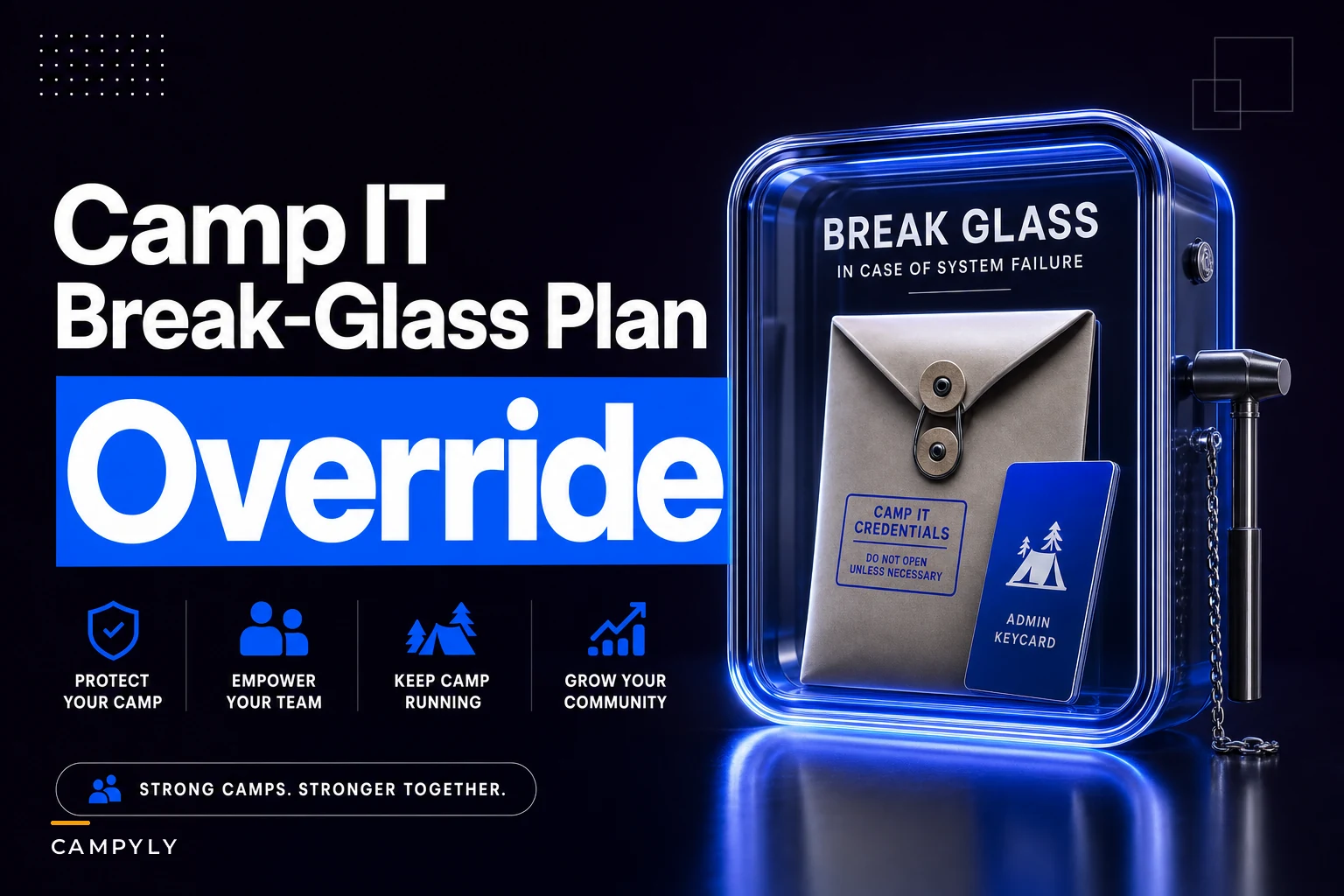
Store break-glass credentials offline and sealed. Write the critical recovery info — not everyday passwords, but account recovery details and MFA backup codes — and keep them in a sealed envelope in a physical safe, or use a password manager's emergency-access feature. Two people know where it is.
-
Define the trigger. Override is only used when the primary admin is unreachable for more than X hours and there's an active operational problem. This keeps it from becoming a casual backdoor.
-
Log every use. Anyone who breaks glass writes down what they did and when. The primary admin reviews it on return, and after any emergency override, rotate the exposed credentials.
A simple visual of the override workflow:
The mistake camps make is treating override as an afterthought. An emergency hits, someone panics, they reset everything at 11pm with no record of what changed — which creates its own mess the next morning. Decide the procedure while things are calm.
Vendor recovery: the conversation to have *before* you need it
When your main software vendor has an outage or a breach, you're a passenger. You can't fix their servers. What you can do is know, in advance, exactly what recovery looks like and hold them to it. Most camps never ask these questions until they're already in trouble.
-
How long until the service is back up after an outage?
-
How much data could we lose in a worst case?
-
Who is our emergency contact, and is there 24/7 support during summer?
-
How will you notify us of a breach, and within how many hours?
-
Can we export all our data on demand, in a usable format, without your help?
That last one matters more than people realize. The ability to pull your own full data export means you're never fully hostage to a single vendor. Make it a habit to export a complete copy of your registration data at least once a season and store it with your backups.
Target SLA numbers to aim for
| Scenario | Reasonable recovery-time target | Reasonable data-loss target |
|---|---|---|
| Registration platform outage (in-season) | Back within 4 hours | Lose no more than 1 hour of data |
| Registration platform outage (off-season) | Back within 24 hours | Lose no more than 24 hours |
| Payment processing down | Back within 2–4 hours | No transaction data lost |
| Full data restore after corruption | Within 24–48 hours | Restore point within last 24 hours |
| Breach notification to you | N/A | Notified within 24–72 hours |
Keep these targets alongside your continuity plans. When a disruption hits, your IT recovery timelines need to fit inside your broader operational response — the logic here connects directly to a camp continuity framework with scenario playbooks and recovery SLAs, so the two are worth reading together rather than sitting in separate binders nobody opens.
Responsibilities matrix: so nobody freezes during an incident
The reason incidents spiral at camps isn't lack of skill — it's confusion about who's in charge of what. Everyone assumes someone else is calling the vendor. Nobody's talking to parents. The result is a 90-minute scramble before anyone takes a single useful action.
| Task | Owner | Backup |
|---|---|---|
| Decide if this is an "incident" | Director | Assistant Director |
| Call the affected vendor | Operations Lead | Director |
| Execute backup/restore | Backup Admin | IT contact (if any) |
| Communicate with parents | Director | Communications Lead |
| Document timeline of events | Assistant Director | Operations Lead |
| Authorize emergency override | Director | Backup Admin |
Boring on purpose. When something breaks, nobody debates roles — they look at the sheet and move. Camps that have this printed and rehearsed once a year handle incidents in a fraction of the time of camps that improvise.
Simple acceptance tests (proof it actually works, not just paperwork)
Policies that live in a document and were never tested are theater. Before you call any of this "done," run these quick checks:
-
MFA test Try to log in to your email and registration system from a device that's never been used. If it lets you in without a second factor, MFA isn't actually on.
-
Dead-admin test Have the backup admin attempt a routine admin task without the primary admin present. If they can't, your override plan is broken.
-
Restore test Delete a non-critical test file, then restore it from backup. Confirm it comes back complete.
-
Offboarding test Pull up your account list and check whether anyone who left last season still has access. If yes, your offboarding process isn't running.
-
Vendor-contact test Call or email the emergency contact for one vendor and confirm it's a real, monitored channel. Dead support emails are more common than you'd think.
Pass all five and you're ahead of most camps your size. Fail two or three — that's exactly the list of what to fix first.
When this level of effort makes sense (and when it doesn't)
A small day camp running on one spreadsheet and a free registration tier doesn't need a full matrix with named backup admins. For a program like that, the Tier 1 list — MFA, no shared logins, a monthly data export, one written emergency contact — is plenty. Doing more would be process for its own sake.
Where the full checklist earns its keep is any camp holding medical records, processing real payment volume, or running multiple sessions where an outage during peak week means hundreds of locked-out parents. If you're handling minors' health and custody data at scale, the responsibilities matrix and tested backups aren't optional polish — they're the difference between a two-hour hiccup and a two-day crisis with legal exposure.
The one group that should not over-engineer this: a brand-new camp still figuring out whether it'll run a second year. Get MFA on, avoid shared logins, keep a data export, and move on. Layer the rest in once you know the program is sticking.
A short real scenario
A mid-sized overnight camp — around 300 campers per session, three sessions — ran everything through a single shared admin login on their registration platform with MFA switched off. Their "backup" was a manual export the office manager did roughly once a month when things were slow.
In the off-season, that office manager left. Nobody removed the account or changed the shared password. The following spring, the account was compromised through a reused password from an unrelated breach, and a batch of parent contact records was quietly altered before anyone noticed. Because the only backup was about five weeks old, restoring it would have wiped out a chunk of new registrations.
The fix wasn't expensive. They turned on MFA across every account, split the shared login into individual admin accounts with one designated backup admin, set a weekly automated export with 12-month retention, and wrote a one-page responsibilities matrix. Hard cost was close to nothing — mostly a couple of afternoons. The next time a vendor had a short outage during session two, the office pulled up the matrix, called the right contact, and had parents updated inside an hour. No drama, no guessing.
Final thought
Camp cybersecurity doesn't fail because directors aren't technical enough to handle it. It fails because it's nobody's job until it's suddenly everybody's emergency. The checklist above works because it's un-glamorous: turn on MFA, stop sharing logins, test your backups, write down who calls whom. None of it requires a technical background — it just requires making these decisions while the camp is quiet, so when something goes sideways on a busy July afternoon, you're reading from a plan instead of inventing one.
Pick the Tier 1 list and knock it out this week. The rest can wait for the off-season. Your future self, mid-crisis, will be glad you didn't.
Ready to elevate your camp management?
Join 500+ camps using Campyly to save administrative time, enhance camper experiences, and streamline daily operations.