

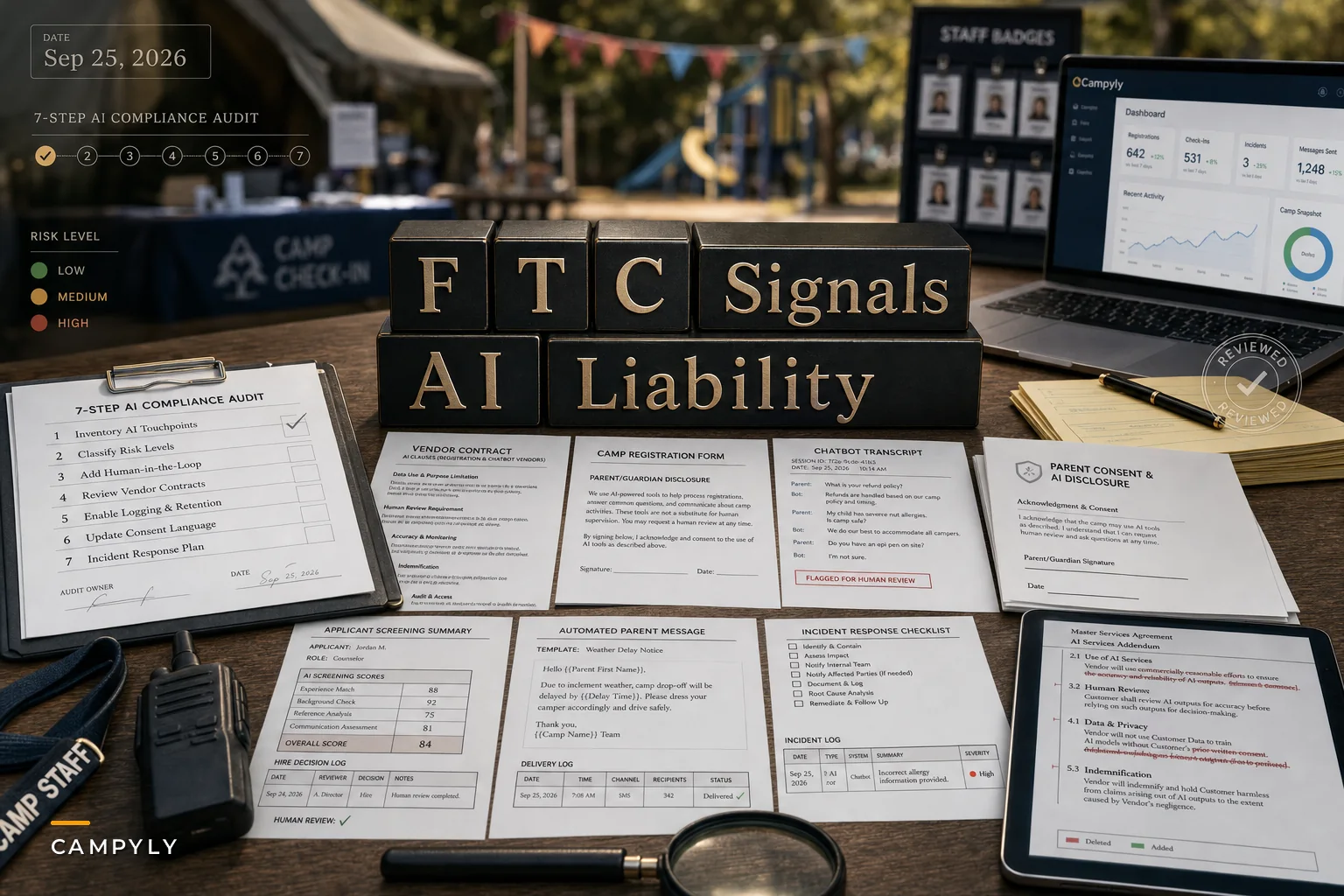

Most camp directors missed it because it was buried in a regulatory comment, not a policy announcement. FTC Chair Andrew Ferguson told Reuters that AI developers should be held responsible for how their systems behave — and that treating AI tools as independent actors, basically arguing "the software did it, not us," isn't going to work as a defense. That sounds like a tech industry problem. It's not only a tech industry problem.
If your registration platform uses an AI chatbot to answer parent questions, if your hiring tool auto-ranks counselor applicants, if your messaging system drafts and sends automated alerts — you're deploying consumer-facing AI. The regulatory direction is clear: the business that puts the tool in front of families carries risk too, not just the vendor who built it. The "we just licensed it" defense is getting thinner.
This isn't a reason to panic or rip out your software. It's a reason to do a focused audit before enforcement priorities harden. Here's how to actually do that.
Why camps are more exposed than they think
Camps sit on a uniquely sensitive pile of data — minors' health records, allergy info, custody arrangements, immunization status, behavioral notes — and increasingly run that data through AI-powered tools without really knowing what those tools decide on their own.
The exposure usually hides in three places:
-
Automated decisions that affect real people. A screening tool that filters applicants. A refund bot that approves or denies. A waitlist system that auto-assigns seats. When AI makes or shapes these calls, an error isn't a glitch — it's a decision a family can challenge.
-
Communications that feel official. A chatbot telling a parent "your child's EpiPen is on file" when it isn't. That's not a typo. That's a safety representation your camp is now on the hook for.
-
Data that never should've gone where it went. AI features that quietly log or train on the information you feed them. Most directors have no idea whether their vendor's AI retains chat transcripts containing a camper's medical history.
Nobody mapped these decision points on purpose. They accumulated. A feature got turned on. A vendor pushed an update. Suddenly an algorithm is ranking your lifeguard applicants and no human remembers approving that.
The real problem: you can't defend what you can't see
Enforcement — and lawsuits — reward documentation. If something goes wrong and you can show a clear record of what the AI did, who reviewed it, and how you responded, you're in a defensible position. If you can only shrug and say "the vendor's system handles that," you're exposed.
Simplify camp operations with centralized control.
Campyly empowers you to manage registrations, staff, and activities seamlessly—all from one platform.
- Integrated camper and staff management
- Automated notifications and alerts
- Dynamic scheduling and resource allocation
No credit card required
The underlying issue is that AI tools got adopted the way most camp software gets adopted: feature-by-feature, during a busy season, with nobody reading the part of the contract that says who's liable when the automation gets it wrong.
This connects directly to the groundwork covered in our piece on practical camp data governance, retention and consent rules — the same consent and retention discipline you'd apply to any camper data now has to extend to every AI feature touching that data. If you've already built that foundation, this audit is an extension, not a rebuild.
The 7-step AI audit
Run this before the next registration cycle opens. Block out a half-day. Involve whoever owns your software contracts.
A simple workflow to run the audit:
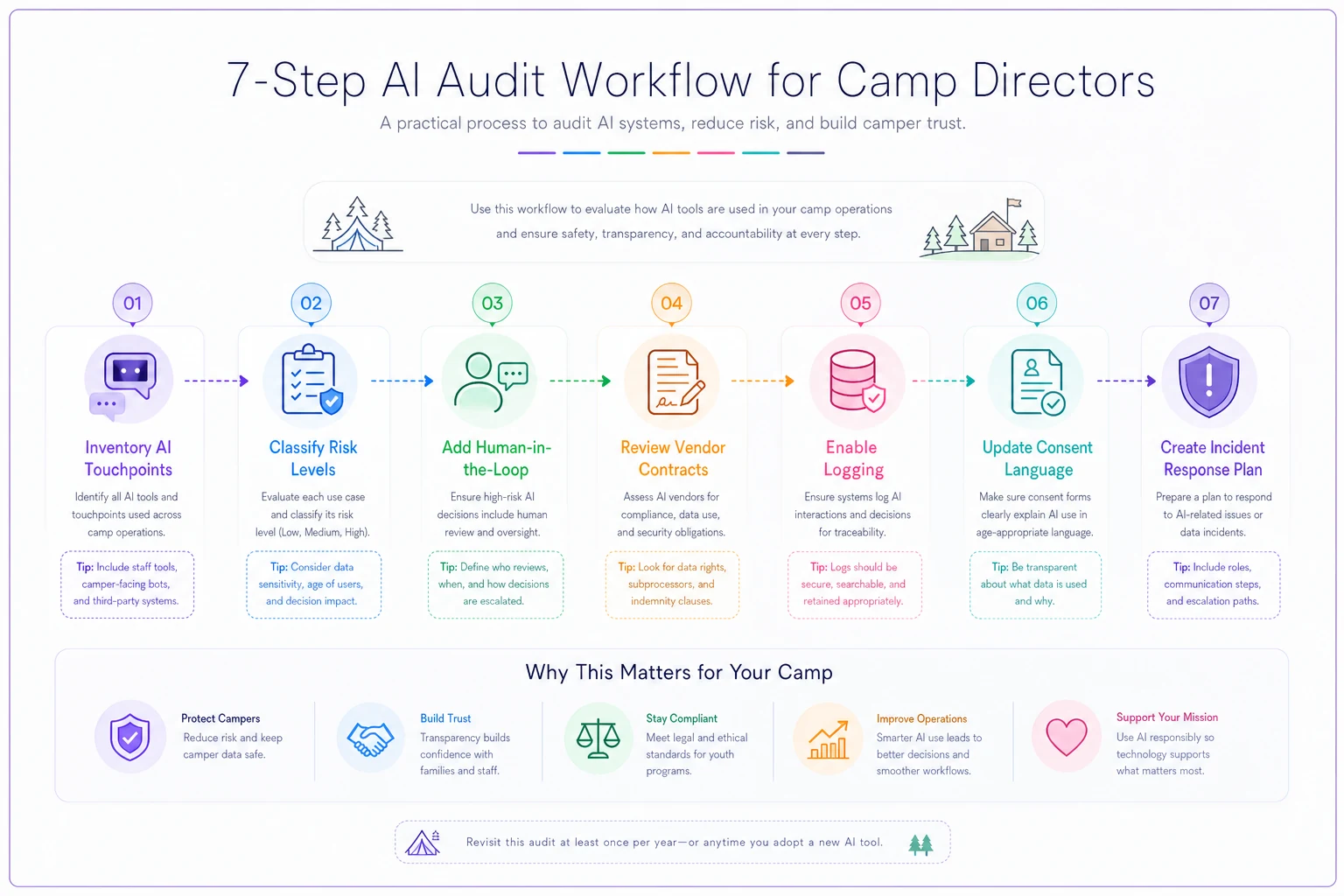
Keep this one-page flow handy during your half-day audit.
1. Inventory every AI touchpoint
You can't audit what you haven't listed. Go tool by tool and write down anywhere AI is doing something — chatbots, auto-messaging, applicant scoring, scheduling optimizers, fraud detection on payments, anything that "suggests" or "automates."
A realistic first pass for a mid-size camp usually turns up somewhere between five and nine AI features nobody had formally counted. The scheduling tool's "smart suggestions," the help widget on the registration page, the email platform's send-time optimizer. List them all.
2. Classify each one by risk level
Not every AI feature deserves equal scrutiny. Sort them.
| AI touchpoint | Risk level | Why |
|---|---|---|
| Applicant screening / ranking | High | Affects hiring, potential bias exposure |
| Refund / cancellation decisions | High | Financial + consumer-protection stakes |
| Parent-facing chatbot (health/safety info) | High | Can make false safety representations |
| Automated emergency / alert messaging | High | Errors have real-world safety impact |
| Waitlist / seat auto-assignment | Medium | Fairness and transparency concerns |
| Send-time or scheduling optimization | Low | Minimal consumer impact |
| Internal analytics summaries | Low | No direct family-facing decision |
Focus the bulk of your effort on the High rows. That's where liability concentrates.
3. Add a human-in-the-loop to every high-risk decision
This is the single most important control. For anything in the High category, no automated output should take effect without a person signing off.
In practice: the screening tool can rank applicants, but a human makes the rejection call. The refund bot can recommend, but staff approves. The chatbot can answer general questions, but anything touching a specific child's health or safety routes to a human.
The common mistake is treating "human-in-the-loop" as a checkbox instead of a real step with a name attached. Define who reviews, what they're confirming, and how fast they need to do it during peak weeks.
Name a single reviewer for each high-risk decision to avoid ambiguity during peak weeks.
4. Pull every AI vendor contract and read the liability language
Look specifically for:
-
Who's responsible when the AI produces a wrong or harmful output
-
Whether there's indemnification protecting you
-
Whether the vendor can change AI behavior without notifying you
-
Whether your data (including campers' PHI) is used to train their models
A lot of standard SaaS contracts quietly put all the risk on you. If your vendor's terms say the AI is provided "as is" with no accountability for outputs, that's exactly the gap the FTC commentary is pointing at. Flag it. Renegotiate at renewal, or at minimum get written clarification.
5. Turn on logging and keep the records
If an AI feature makes or influences a decision, you need a timestamped record: what the input was, what the system produced, who reviewed it, what happened next.
Most platforms have this capability — it's often just not enabled, or the logs auto-delete after 30 days. For registration and hiring decisions, retention should line up with your broader data policy. Long enough to defend a decision, not so long it becomes its own liability.
6. Rewrite consent and disclosure language
Families and staff should know when they're interacting with an AI system and what happens to the information they share. Update three documents at minimum:
-
Registration consent disclose AI use in communications and data handling
-
Staff application notice disclose if AI is used in screening
-
Chatbot disclaimer a plain line that families are talking to an automated assistant and when a human takes over
Keep it readable. A parent filling out a form at 11pm shouldn't need a lawyer to understand it.
7. Write a one-page AI incident response plan
When the chatbot tells someone the wrong pickup time, or the screening tool clearly misfires, what happens? At most camps right now the answer is "someone notices eventually."
Define the trigger, who gets notified, how you correct the output, how you communicate with the affected family, and where you log it. One page. Tested once before the season.
A quick real scenario
A regional day camp running around 600 campers had turned on an AI "smart reply" feature in its parent messaging tool to keep up with volume. Nobody configured guardrails. Over a few weeks it auto-answered allergy and medication questions by pulling from outdated profile data — including telling two families their kids' dietary flags were "all set" when the profiles hadn't been updated in months.
No one got hurt, which was luck more than design. When they ran the audit afterward, they found the feature had sent close to 40 health-related auto-replies with zero human review, and the vendor contract put all output liability squarely on the camp.
The fix wasn't dramatic. They routed anything health- or safety-related to a human, enabled logging, added a chatbot disclaimer, and flagged the contract for renewal. The whole setup took about a day and a half. The outcome wasn't a revenue number — it was going from "we had no idea what that tool was telling parents" to a documented, defensible process.
When heavy AI automation actually makes sense — and when it doesn't
It makes sense for low-stakes, high-volume work: send-time optimization, first-pass FAQ answers, internal summaries. These save real hours with minimal downside.
It doesn't make sense to fully automate anything involving a child's health or safety, a hiring rejection, or a financial decision affecting a family. The time saved isn't worth the risk absorbed.
Who should slow down: any camp that can't currently answer "what has our AI told parents this week, and who checked it?" If you can't answer that, visibility comes before more automation.
Where the right software setup helps
None of this requires expensive tooling — but it's a lot easier when your operational platform centralizes logging, consent tracking, and human-review steps in one place instead of scattered across five vendors. AI-assisted operational platforms that keep an audit trail and let you set approval checkpoints on automated decisions turn this whole audit from a seasonal scramble into a routine.
The goal isn't less automation. It's automation you can actually see and account for. The regulatory signal is really just forcing a discipline that good operations needed anyway — you adopted AI tools to save time, and spending half a day mapping and controlling them is what lets you keep using them without carrying risk you never agreed to. Do the audit now, while it's a planning task, not later when it's a response to something that already went wrong.
The goal isn't less automation. It's automation you can actually see and account for. The regulatory signal is really just forcing a discipline that good operations needed anyway — you adopted AI tools to save time, and spending half a day mapping and controlling them is what lets you keep using them without carrying risk you never agreed to. Do the audit now, while it's a planning task, not later when it's a response to something that already went wrong.
Ready to elevate your camp management?
Join 500+ camps using Campyly to save administrative time, enhance camper experiences, and streamline daily operations.